
Most free VPNs come with a catch. A forced account. A data cap. A privacy policy you'd rather not read too carefully. Or a "free tier" that exists only to upsell you into a paid plan.
I got tired of looking for something simple, a VPN you can just use and couldn't find it. So I built it.
It's live at vpn.bookllo.com. No signup. No install of anything proprietary. Just a free access key and an open-source client.
Here's what's going on under the hood and why it's different.
What Is Outline VPN?
Outline VPN is an open-source VPN platform built by Jigsaw, a technology incubator inside Google. It was originally designed to help journalists and activists in censorship-heavy countries access the open internet, which immediately tells you something about its priorities: privacy first, business model second (there is none).
The core of Outline is the Shadowsocks protocol, a lightweight, encrypted proxy protocol that's specifically engineered to resist detection and blocking. Unlike traditional VPN protocols, Shadowsocks traffic blends in with regular HTTPS traffic, making it hard for firewalls to identify and throttle it. That matters a lot if you're in a region where VPN usage is restricted.
Everything about Outline, the server software, the client apps, the protocol is fully open source and audited. You don't have to take anyone's word that it's safe.
The Problem With "Free" VPNs
Before getting into how the free project works, it's worth naming what makes most free VPNs a bad deal:
They log your traffic. If the service is free and has no obvious revenue model, your browsing data is often the product.
They require an account. An email address tied to your VPN usage is a paper trail.
They throttle your speed. Free tiers are deliberately degraded to push upgrades.
The apps themselves are proprietary. You can't verify what they're actually doing.
Outline sidesteps all of this structurally, not just by policy.
How vpn.bookllo.com Works
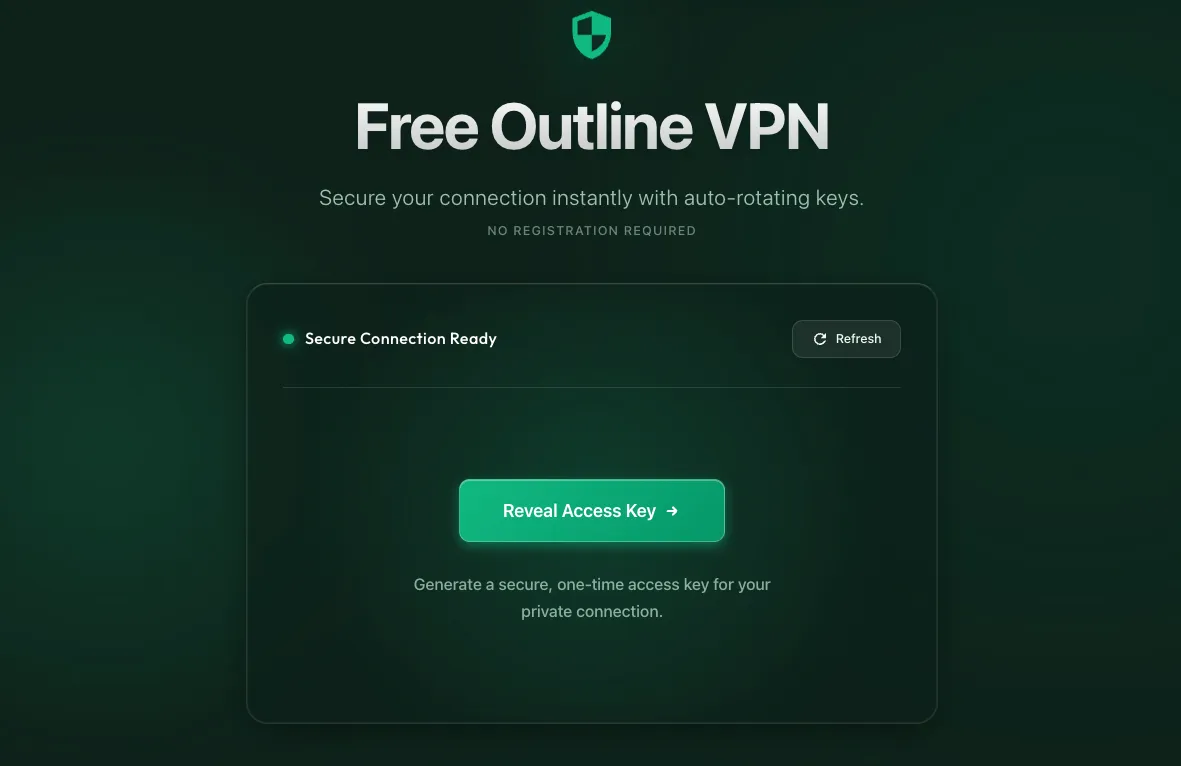
The setup is straightforward:
Visit vpn.bookllo.com. No account. No email. No form.
Click "Show Access Key." A unique Shadowsocks access key is generated and copied to your clipboard.
Download the Outline Client from getoutline.org, available for Windows, macOS, iOS, Android, and Linux. This is a one-time install, and the client is fully open source.
Open the Outline app. It automatically detects the key from your clipboard.
Hit Connect. That's it.
The access key auto-rotates every 24 hours. Bookmark the page, come back tomorrow, and grab a fresh key. No account needed to do that either.
Why "No Strings Attached" Is Literal Here
Let's be specific about what you're not being asked for:
No email address. Nothing to verify, no marketing list to end up on.
No account creation. No username, no password, no profile.
No proprietary software. The Outline client is open source and maintained by Jigsaw/Google.
No payment, now or later. There's no paid tier to upsell into.
No data caps or speed throttling. Connect and use it as you need.
The keys rotate automatically every 24 hours, not to inconvenience you, but to limit exposure if a key ever gets shared widely or flagged.
Who Is This For?
Anyone who needs a quick, trustworthy encrypted connection without jumping through hoops:
Travelers on public Wi-Fi who want basic protection
People in countries with restrictive internet policies
Developers testing geo-specific behavior
Anyone who just wants to browse privately without handing over an email address first
It's not a replacement for a dedicated paid VPN if you have high-stakes privacy needs. But for the vast majority of everyday use cases, it's more than enough, and it asks nothing from you in return.
The Bottom Line
Outline VPN is what happens when the goal is access and privacy, not monetization. The free project at vpn.bookllo.com takes that philosophy and removes the last remaining friction: finding and managing access keys.
Visit, click, connect. That's the whole product.

Written byAraix Rand
I'm a lifelong learner. I believe there's nothing I can't achieve if I put my mind to it. But I have ADHD, and I keep chasing novel things to do. Vibe coding has been a new adventure for me. Besides work, I listen to melodic techno music.
Continue Reading
More articles from Software and beyond
Comments (0)
Join the conversation about this article
Sign in to commentNo comments yet
Be the first to share your thoughts about this article!